
H
Healing brush
Healing Brush replaces a flaw with nearby texture while blending the new pixels into local color and light.
Remove temporary skin blemishesRemove distractions, repair details, reshape tone, and polish portraits non-destructively.
Each card opens a focused guide with the purpose, exact workflow, example outcomes, and a practical tip.
Healing Brush replaces a flaw with nearby texture while blending the new pixels into local color and light.
Remove temporary skin blemishesPatch repairs a larger selected area by blending it with texture from another region.
Remove larger objects or marksClone Stamp copies pixels exactly from a chosen source to a new location.
Duplicate a texture or objectSmudge pushes and blends existing pixels along the direction of the stroke.
Blend paint and soften tiny transitionsDodge selectively lightens painted areas to shape highlights and local exposure.
Brighten eyes and facial highlightsBurn selectively darkens painted areas to deepen shadows and guide attention.
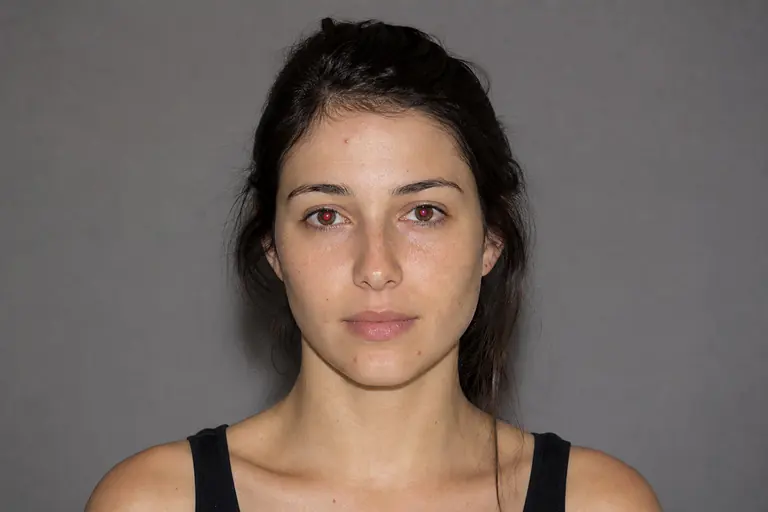
Add depth to folds and contoursRed Eye neutralizes the red flash reflection inside a pupil while preserving catchlights.
Correct direct-flash portraitsDefine the exact area or result you need, then choose the closest tool from the comparison below.
Work on a separate layer or through a mask when possible so the original image remains intact.
Check edges and detail at 100% zoom, then undo or refine any change that feels too strong.
Open the editor, load an image, and apply the selected guide in practice.