
How to Retouch a Portrait Without Overediting
Remove temporary distractions, balance local light, and preserve believable skin texture with a restrained, reversible portrait-retouching workflow.
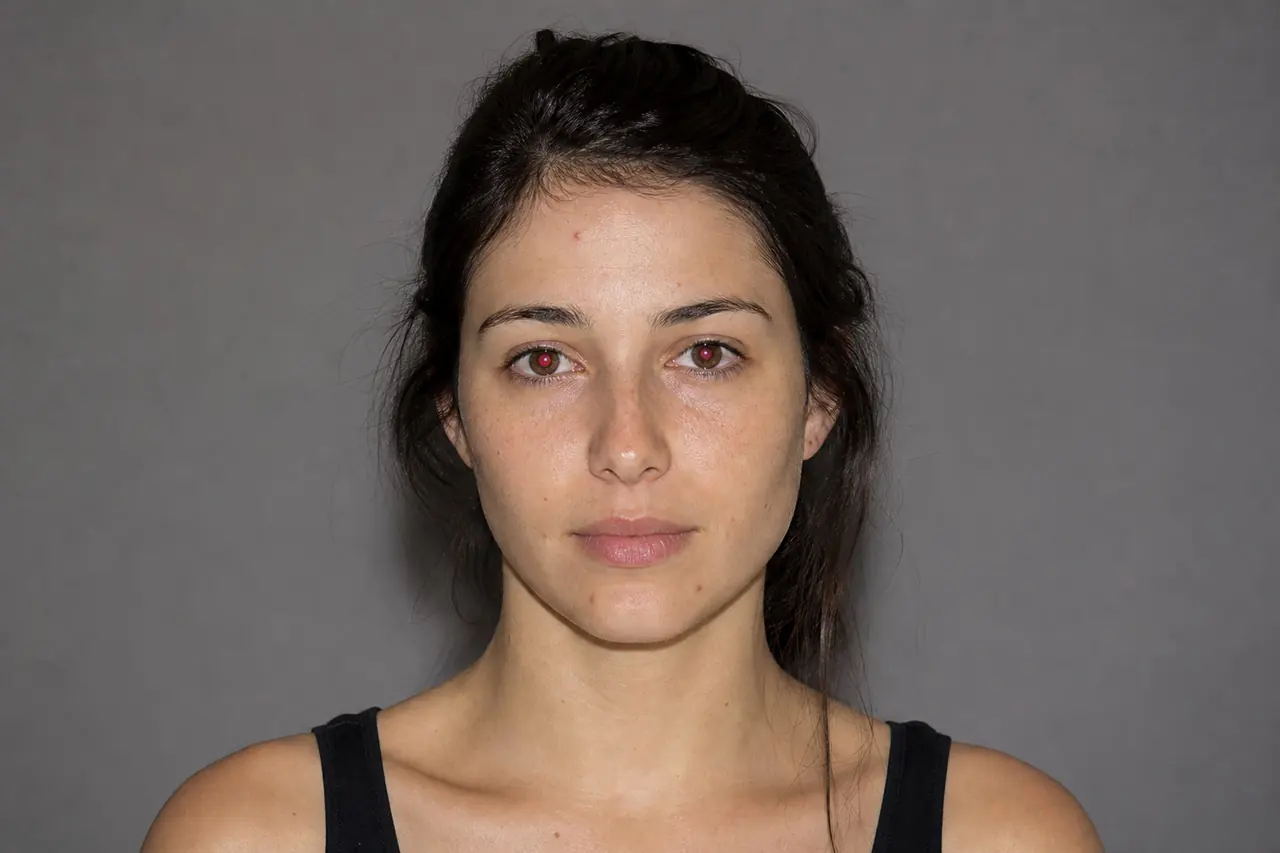
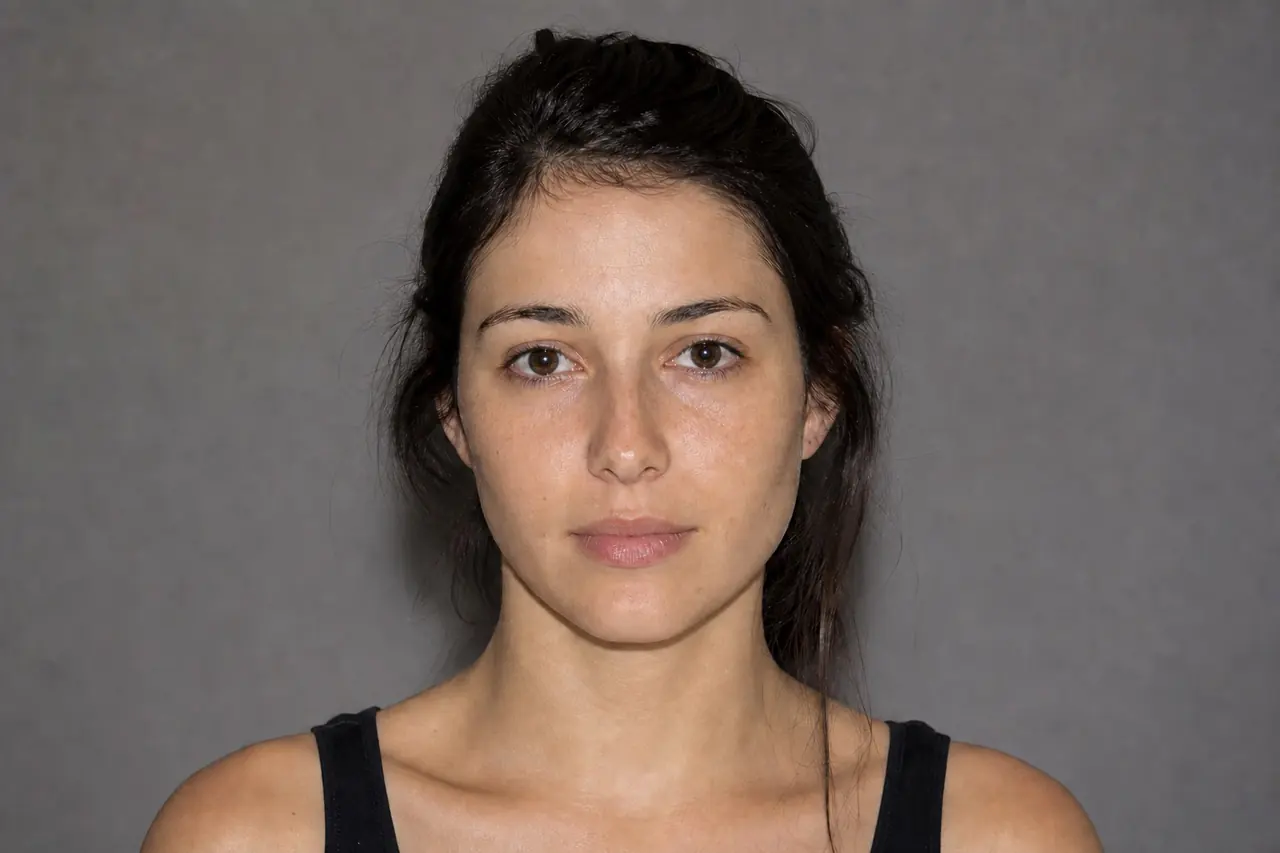
Natural retouching improves what distracts from the portrait without replacing the person's real features. Work from temporary blemishes toward broader tonal balance, separate corrections from the original layer, and compare frequently at both 100% and normal viewing size.
Recommended workflow
- 01
Protect the original
Duplicate the portrait layer or create a separate retouching layer. Keep an easy before-and-after comparison available throughout the session.
- 02
Clean temporary distractions
Use Healing Brush on dust, small blemishes, and stray marks. Sample close to each flaw so pore scale, focus, and light remain consistent.
- 03
Balance local tone
Use low-intensity Dodge or Burn only where uneven shadows or highlights interrupt the facial structure. Build the correction gradually rather than painting one strong stroke.
- 04
Reduce and verify
Toggle the retouch off, reduce layer opacity if the change is obvious, and inspect eyes, hairline, skin texture, and color transitions before export.
What natural portrait retouching changes
Temporary blemishes, sensor dust, lint, and isolated flyaway hairs can pull attention away from expression. Removing them is usually less visually disruptive than reshaping facial geometry or flattening all skin variation.
Uneven local brightness may also need a light correction, especially under eyes or around specular highlights. The purpose is to restore a coherent light pattern, not make every area equally bright.
How texture gets lost
Large healing strokes copy texture across areas with different focus and curvature. Repeated painting can create soft patches, duplicated pores, or smeared edges that become more obvious than the original flaw.
Work in short passes and stop when the distraction no longer attracts attention at normal size. Texture does not need to be perfectly uniform; believable skin includes fine variation.
Common mistakes
- Blurring the entire face until pores and fine detail disappear.
- Copying texture from a distant area with different light or focus.
- Judging the portrait only at extreme zoom.
Questions and answers
Should permanent moles and lines be removed?
Usually no unless the subject or brief specifically requests it. Natural retouching prioritizes temporary distractions while preserving identity.
Which brush size works for blemishes?
Use a brush only slightly larger than the mark so the surrounding texture and tonal transition remain undisturbed.
How can I tell whether the retouch is too strong?
Toggle the correction off and on at normal viewing size. If the process itself becomes the first thing you notice, reduce it.