
Al.
Pincel corrector
El Pincel reparador reemplaza un defecto con una textura cercana mientras combina los nuevos píxeles en color y luz locales.
Eliminar imperfecciones temporales de la pielElimine distracciones, repare detalles, cambie la forma del tono y pula retratos de forma no destructiva.
Each card opens a focused guide with the purpose, exact workflow, example outcomes, and a practical tip.
El Pincel reparador reemplaza un defecto con una textura cercana mientras combina los nuevos píxeles en color y luz locales.
Eliminar imperfecciones temporales de la pielEl parche repara un área seleccionada más grande combinándola con textura de otra región.
Elimine objetos o marcas más grandesClone Stamp copia píxeles exactamente de una fuente elegida a una nueva ubicación.
Duplica una textura u objetoDifuminado empuja y combina los píxeles existentes a lo largo de la dirección del trazo.
Combina pintura y suaviza pequeñas transicionesDodge aclara selectivamente las áreas pintadas para dar forma a las luces y la exposición local.
Ilumina los ojos y los reflejos facialesGrabar oscurece selectivamente las áreas pintadas para profundizar las sombras y guiar la atención.
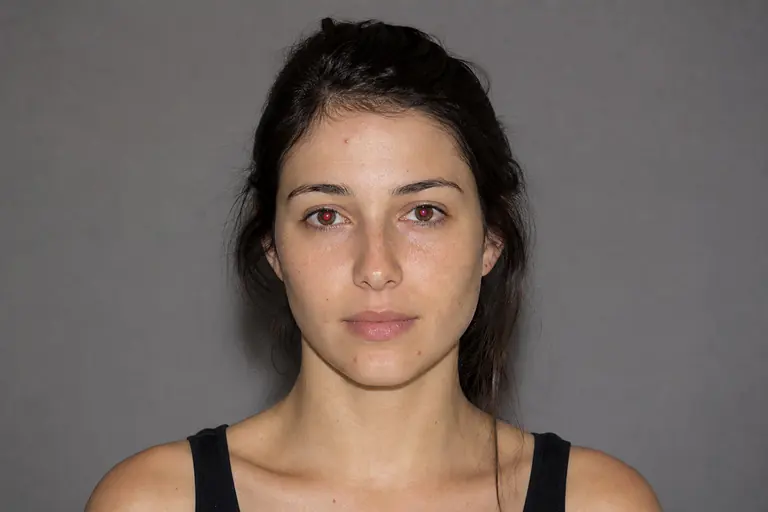
Agrega profundidad a los pliegues y contornosOjos rojos neutraliza el reflejo del destello rojo dentro de una pupila y al mismo tiempo preserva catchlights.
Corrige retratos con flash directoDefine the exact area or result you need, then choose the closest tool from the comparison below.
Work on a separate layer or through a mask when possible so the original image remains intact.
Check edges and detail at 100% zoom, then undo or refine any change that feels too strong.
Open the editor, load an image, and apply the selected guide in practice.